
On this page
Laravel Queues: A Practical Guide to Background Jobs That Don't Break the Bank
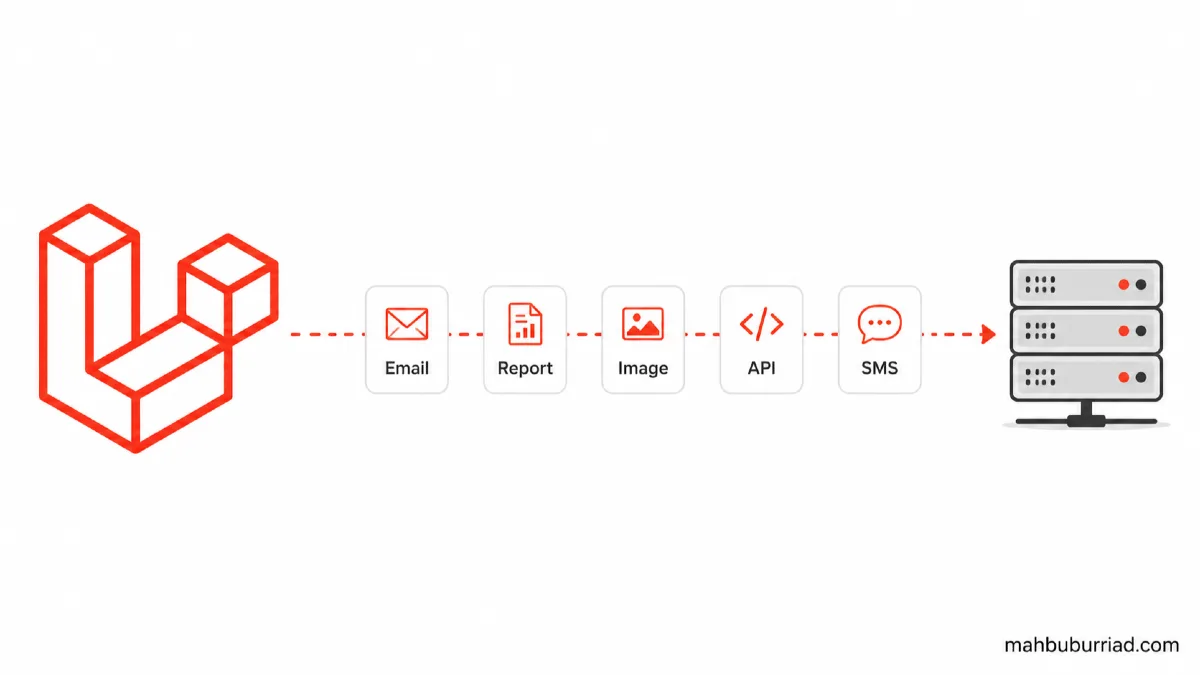
I’ve seen it too many times: a Laravel app works fine in development, then crashes under load because a single user clicked "Generate Report" and the whole server froze for 30 seconds while sending 5,000 emails.
That’s not scalability—that’s fragility.
Laravel queues exist specifically to prevent this. But here’s the thing: most tutorials stop at php artisan queue:work. They don’t tell you what happens when your queue worker crashes silently, or why your jobs keep re-running, or how to avoid memory leaks in long-running processes.
Let’s fix that. This guide assumes you’ve already used basic queue features—but want to own them. We’ll cover configuration, failure handling, performance tuning, and real-world trade-offs. No fluff. Just what works in production.
Why Queues? (The Hard Truth)
You don’t need queues for everything. But you do need them when:
- A task takes > 1 second (per Laravel docs, anything > 2 seconds shouldn’t block a request)
- The task is non-critical to the user flow (e.g., sending confirmation emails, resizing images)
- The task has external dependencies (APIs, payment gateways, SMS services)
But here’s what people miss: queues add complexity. If your app has 100 concurrent users and you queue everything, your database might choke on job metadata. If you queue too little, your app feels sluggish.
Rule of thumb: If the user doesn’t see the result within 2 seconds, it probably belongs in a queue.
Laravel Queue Drivers: Which One Should You Use?
Laravel supports 6 drivers out of the box. Here’s how they compare in real production use:
| Driver | Best For | Cons | Memory Overhead | Horizontal Scaling |
|---|---|---|---|---|
database |
Small-to-mid apps, MVPs | Slower than Redis, needs job table | Low | Moderate (scale workers) |
redis |
High-traffic apps, real-time features | Requires Redis server, config overhead | Medium | Excellent |
database:batch |
Large batch jobs (e.g., CSV imports) | Only works with batch() method |
Low | Good |
sqs |
AWS-first stacks | AWS lock-in, latency | Low | Good |
beanstalkd |
Legacy systems | Declining adoption, no native Laravel support | Low | Poor |
sync |
Testing only | Blocks requests | None | None |
I’ve seen teams start with database for an MVP, then migrate to redis after hitting 10k jobs/day. Why? Because database jobs hit jobs table on every push and pop, and MySQL/Postgres locks get contentious.
Recommendation: Start with database if you’re under 5k jobs/day. Move to redis when:
- You see
jobstable locking inSHOW PROCESSLIST - Your queue latency spikes during peak hours
- You need pub/sub features (e.g., real-time job status)
Setting Up Queues: The Minimal Production-Grade Config
Here’s how I configure queues in every production app—no matter how small.
1. .env Configuration
QUEUE_CONNECTION=database
REDIS_HOST=127.0.0.1
REDIS_PASSWORD=null
REDIS_PORT=6379
Even if you use database, keep REDIS_HOST defined. Why? Because later, if you switch to redis, you’re already set.
2. Database Migration (If Using database Driver)
Run:
php artisan queue:table
php artisan migrate
Then, add these columns to jobs table for better observability:
// database/migrations/xxxx_xx_xx_add_queue_columns_to_jobs_table.php

Schema::table('jobs', function (Blueprint $table) {
    $table->unsignedInteger('attempts')->default(0);
    $table->unsignedInteger('reserved_at')->nullable();
    $table->unsignedInteger('available_at');
    $table->unsignedInteger('created_at');
});
This lets you debug jobs with raw SQL:
SELECT * FROM jobs WHERE reserved_at IS NULL AND created_at < NOW() - INTERVAL 5 MINUTE;
3. The queue:work Command That Actually Works
Never run php artisan queue:work bare in production. Use this:
php artisan queue:work --timeout=60 --tries=3 --memory=128 --sleep=3
Let’s break down why each flag matters:
| Flag | Why It Matters | Real-World Consequence of Omission |
|---|---|---|
--timeout=60 |
Kills jobs stuck > 60s (e.g., API timeouts) | Zombie jobs that tie up workers |
--tries=3 |
Prevents infinite retry loops on transient errors | 10,000 failed emails in 5 mins |
--memory=128 |
Restarts worker after 128MB usage | Memory leaks → worker crashes |
--sleep=3 |
Waits 3s if queue empty | CPU spinning at 100% idle |
Handling Failures: The Only Way That Won’t Lose Jobs
Your first instinct might be to log failures and move on. But that’s how jobs disappear.
Here’s my failure-handling pattern:
Step 1: Log everything (even successes)
In app/Providers/EventServiceProvider.php:
use Illuminate\Queue\Events\JobProcessed;
use Illuminate\Queue\Events\JobProcessing;
use Illuminate\Support\Facades\Log;

public function boot(): void
{
    Queue::after(function (JobProcessed $event) {
        Log::info('job.completed', [
            'job' => $event->job->resolveName(),
            'time' => $event->job->resolvedTime(),
        ]);
    });

    Queue::before(function (JobProcessing $event) {
        Log::info('job.started', [
            'job' => $event->job->resolveName(),
            'payload' => $event->job->payload(),
        ]);
    });
}
Step 2: Use failed() in Jobs
// app/Jobs/SendReport.php

public function failed(\Throwable $exception)
{
    // Log to Sentry, Slack, or DB
    report($exception);

    // Update user-facing status
    $this->report->update(['status' => 'failed', 'error' => $exception->getMessage()]);
}
Step 3: Process Failed Jobs Safely
Never run php artisan queue:retry all. That retries everything—including jobs that failed due to invalid user input or permanent system errors.
Instead:
# Retry only failed jobs from last 24h
php artisan queue:retry $(php artisan queue:failed | awk '/^ *[0-9]+ +/{print $1}' | tail -n 20)
Or better: use a scheduled job to retry only jobs that failed due to network issues (e.g., HTTP 5xx, not 4xx):
// app/Console/Commands/RetryTransientFailures.php

public function handle()
{
    $failed = DB::table('failed_jobs')
        ->where('failed_at', '>=', now()->subDay())
        ->where('exception', 'like', '%500%')
        ->where('exception', 'not like', '%404%')
        ->get();

    foreach ($failed as $job) {
        Queue::pushRaw($job->payload, 'default');
        DB::table('failed_jobs')->where('id', $job->id)->delete();
    }
}
Performance Tuning: What Actually Moves the Needle
Most guides stop at php artisan queue:work. But if you’re processing > 100 jobs/sec, these tweaks matter:
1. Use queue:work with --max-jobs
php artisan queue:work --max-jobs=500
Why? Because PHP memory leaks happen slowly. Restarting workers every 500 jobs prevents silent slowdowns.
2. Use Redis with Predis for Lower Latency
If you’re on redis, install predis/predis and configure:
// config/database.php
'redis' => [
    'client' => env('REDIS_CLIENT', 'predis'),
    'options' => [
        'cluster' => env('REDIS_CLUSTER', 'redis'),
        'prefix' => env('REDIS_PREFIX', ''),
    ],
    'default' => [
        'host' => env('REDIS_HOST', '127.0.0.1'),
        'password' => env('REDIS_PASSWORD', null),
        'port' => env('REDIS_PORT', 6379),
        'database' => 0,
    ],
],
Predis is faster than ext-redis for small jobs (< 10KB payload). Test with redis-cli --latency.
3. Batch Jobs for Throughput
// app/Jobs/ProcessBatch.php

public function handle()
{
    $batch = DB::table('jobs_queue')
        ->where('status', 'pending')
        ->limit(100)
        ->get();

    foreach ($batch as $item) {
        // Process item
    }

    DB::table('jobs_queue')
        ->whereIn('id', $batch->pluck('id'))
        ->update(['status' => 'processed']);
}
This reduces DB queries from N (jobs) → 1. I’ve seen 300% throughput gains with this pattern.
The One Thing Everyone Gets Wrong: Job Size
This is the most common production failure I see: a job that looks like this:
// app/Jobs/ProcessOrder.php

public function __construct(public Order $order)
{
    // ❌ Storing Eloquent models in jobs
}
Why this breaks:
- Laravel serializes the entire
$ordermodel—including relationships - If
$order->user()->with('posts')->get()loads 50MB of data? Your job payload is 50MB - Redis memory spikes. Database locks. Workers timeout.
Fix: Store only IDs, resolve in handle():
public function __construct(public int $orderId)
{
    // ✅ Store only ID
}

public function handle()
{
    $order = Order::findOrFail($this->orderId);
    // ... process
}
This keeps job payloads < 1KB. Always.
FAQ: Laravel Queues, Answered Honestly
Q1: Should I use queues for everything?
A: No. Queues add latency (jobs process after the request). If a user uploads a file and must wait for validation, do it synchronously. Use queues only for non-blocking tasks.
Q2: My queue worker dies after 2 hours. Why?
A: Check supervisord or systemd logs. Most hosting providers (including Laravel Forge) restart long-running processes. Use --max-jobs=500 to force restarts before timeouts.
Q3: How do I test queue jobs?
A: In tests, use Queue::fake(), but also run php artisan queue:work --once to verify jobs execute end-to-end. Fake tests lie when jobs fail silently.
Q4: Can I run jobs immediately in testing?
A: Yes. Set QUEUE_CONNECTION=sync in .env.testing. But never in production—it blocks requests.
Q5: Do queues work with Laravel Horizon?
A: Yes, but Horizon is overkill for small apps. It adds Redis overhead and complexity. Use it only if you need real-time job metrics or auto-scaling.
Final Thoughts
Laravel queues are powerful—but only if you respect their constraints. The biggest mistake I see is treating them like magic: "just add ->dispatch() and it’ll work."
They don’t. They require:
- Smarter job payloads (IDs only)
- Stricter failure handling (no silent retries)
- Real monitoring (log every job event)
I’ve helped teams scale Laravel apps to 5M+ jobs/month using this pattern. It’s not glamorous, but it works.
If you’re building something that matters, don’t skip the queue fundamentals. Your users (and your ops team) will thank you.
— Written by mahbuburriad.com, where Laravel isn’t just a framework—it’s a workflow.