
On this page
How to Use Laravel Queues with Redis for Background Processing
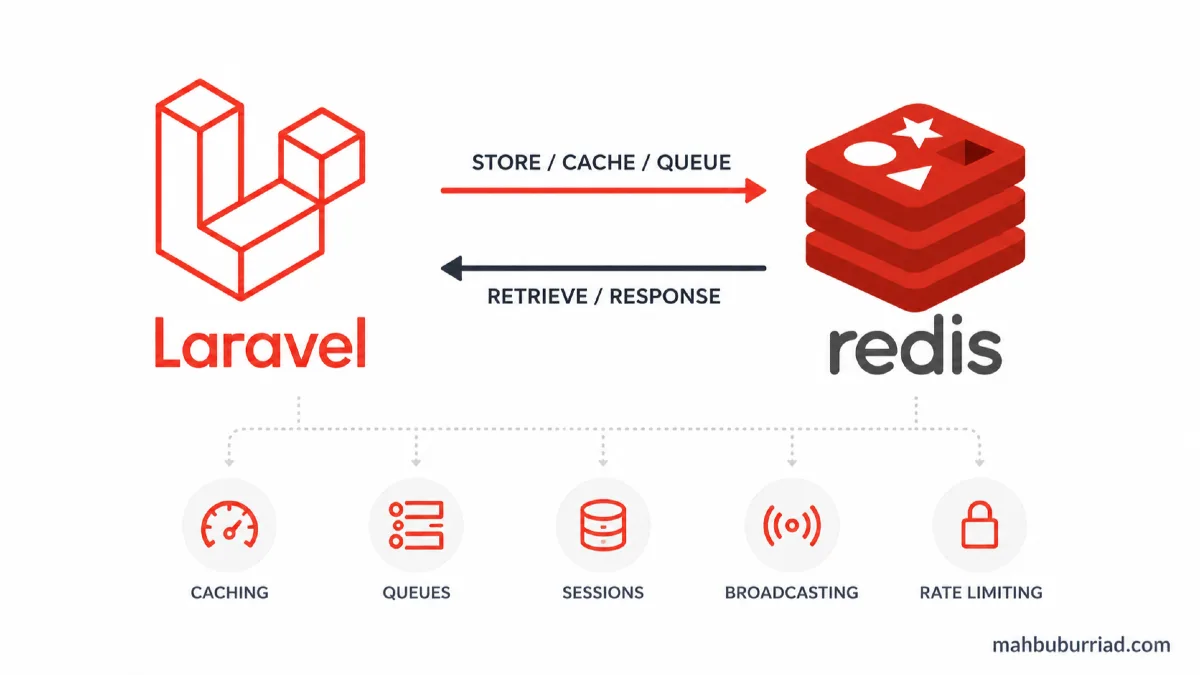
In today's fast-paced web applications, keeping your users waiting for resource-intensive tasks is a surefire way to lose engagement. That's where Laravel queues come in, and when paired with Redis, they become a powerhouse for background processing. Let me show you how to set this up effectively.
Why Use Queues with Redis?
Before we dive into the code, let's understand why this combination is so powerful:
- Asynchronous Processing: Handle time-consuming tasks without blocking user requests
- Improved Performance: Offload heavy work to background processes
- Redis Benefits: Fast in-memory data store with persistence and pub/sub capabilities
- Scalability: Easily scale your queue workers horizontally
Setting Up the Environment
First, ensure you have Redis installed and running on your system. On Ubuntu, you can install it with:
sudo apt update
sudo apt install redis-server
sudo systemctl enable redis-server
sudo systemctl start redis-server
Next, install the Redis PHP extension:
pecl install redis
Configuring Laravel for Redis Queues
Update your .env file to use Redis as the queue driver:
QUEUE_CONNECTION=redis
REDIS_HOST=127.0.0.1
REDIS_PASSWORD=null
REDIS_PORT=6379
In config/queue.php, verify the Redis connection is properly configured:
'redis' => [
    'driver' => 'redis',
    'connection' => 'default',
    'queue' => env('REDIS_QUEUE', 'default'),
    'retry_after' => 90,
    'block_for' => null,
],
Creating Your First Job
Let's create a job that processes user uploads in the background:
php artisan make:job ProcessUserUpload
Open the generated file at app/Jobs/ProcessUserUpload.php:
<?php

namespace App\Jobs;

use Illuminate\Bus\Queueable;
use Illuminate\Contracts\Queue\ShouldQueue;
use Illuminate\Foundation\Bus\Dispatchable;
use Illuminate\Queue\InteractsWithQueue;
use Illuminate\Queue\SerializesModels;

class ProcessUserUpload implements ShouldQueue
{
    use Dispatchable, InteractsWithQueue, Queueable, SerializesModels;

    protected $upload;

    public function __construct($upload)
    {
        $this->upload = $upload;
    }

    public function handle()
    {
        // Process the upload here
        $this->processImage($this->upload);
        $this->generateThumbnails($this->upload);
        $this->updateUserStorage($this->upload->user);
    }

    protected function processImage($upload)
    {
        // Image processing logic
    }

    protected function generateThumbnails($upload)
    {
        // Thumbnail generation logic
    }

    protected function updateUserStorage($user)
    {
        // Update user storage quota
    }
}
Dispatching Jobs
Now you can dispatch this job from your controller:
public function store(UploadRequest $request)
{
    $upload = $request->file('file');
    $path = $upload->store('uploads');

    // Dispatch the job
    ProcessUserUpload::dispatch($path);

    return response()->json(['message' => 'Upload queued for processing']);
}
Running Queue Workers
Start a queue worker to process jobs:
php artisan queue:work
For production, use a process manager like Supervisor to keep the worker running:
[program:laravel-worker]
process_name=%(program_name)s_%(process_num)02d
command=php /path-to-your-project/artisan queue:work redis --sleep=3 --tries=3 --max-time=3600
autostart=true
autorestart=true
stopasgroup=true
killasgroup=true
user=forge
numprocs=8
redirect_stderr=true
stdout_logfile=/home/forge/worker.log
stopwaitsecs=3600
Monitoring and Debugging
Laravel Horizon provides a beautiful dashboard for monitoring your Redis queues:
composer require laravel/horizon
After installing Horizon, publish its assets:
php artisan horizon:install
php artisan horizon:publish
Performance Comparison
Here's how Redis queues compare to other drivers:
| Feature | Redis | Database | SQS |
|---|---|---|---|
| Speed | ⚡ Fast | 🐢 Slow | 🚀 Very Fast |
| Persistence | ✅ Yes | ✅ Yes | ✅ Yes |
| Scalability | ⭐⭐⭐ | ⭐ | ⭐⭐⭐⭐ |
| Cost | Free | Included | Pay-per-use |
| Setup Complexity | Easy | Easy | Medium |
Advanced Queue Configuration
Rate Limiting
Control how many jobs a worker can process per minute:
public function __construct()
{
    $this->rateLimit = 100; // 100 jobs per minute
}
Job Batching
Process a batch of jobs together:
$batch = Bus::batch([
    new ProcessPodcast(1),
    new ProcessPodcast(2),
    new ProcessPodcast(3),
])->then(function (Batch $batch) {
    // All jobs completed successfully
})->catch(function (Batch $batch, Throwable $e) {
    // First batch job failure detected
})->dispatch();
Delayed Dispatching
Delay a job's execution:
ProcessUserUpload::dispatch($path)
    ->delay(now()->addMinutes(10));
Best Practices
- Always use timeouts: Set reasonable timeouts for your jobs
- Handle failures gracefully: Implement retry logic and failure callbacks
- Monitor your queues: Use Horizon or similar tools to keep an eye on job performance
- Use proper serialization: Be careful with Eloquent models in job payloads
- Clean up failed jobs: Regularly clear out failed_jobs table
Common Pitfalls and Solutions
Stale Connections
If you see connection timeouts, adjust the retry_after value in config/queue.php:
'redis' => [
    'retry_after' => 300, // 5 minutes
],
Memory Leaks
For long-running workers, restart them periodically:
php artisan queue:work --max-jobs=1000 --max-time=3600
Job Duplication
Implement job unique locks:
public $uniqueFor = 3600; // Job is unique for 1 hour
FAQ
Q: How do I monitor queue performance?
A: Use Laravel Horizon or the queue:monitor command to track job throughput and failures.
Q: Can I prioritize certain jobs?
A: Yes, use multiple queues and assign different priorities to them.
Q: How do I handle failed jobs?
A: Implement a failed method in your job class or use the --tries option with queue:work.
Q: What's the difference between queue:work and queue:listen?
A: queue:work is a daemon process that's more efficient for production, while queue:listen is better for development.
Q: How do I clear all queued jobs?
A: Use php artisan queue:clear (requires installation of laravel/horizon).
Conclusion
Implementing Laravel queues with Redis has transformed how we handle background processing at mahbuburriad.com. The combination of Laravel's elegant syntax and Redis's performance creates a robust system for handling any background task efficiently. Start with a simple implementation and gradually incorporate more advanced features as your application grows.
Remember to monitor your queues, set appropriate timeouts, and always have a strategy for handling failed jobs. Happy queuing!